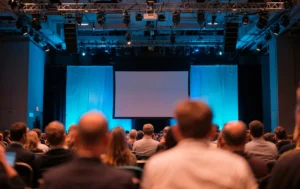
At Megahertz Productions, we’ve learned something important after years of working in AV rental, live event production, livestreaming, and webcasting: a successful event isn’t just about sharp visuals and crystal-clear sound. It’s about making sure everyone can experience what you’ve worked so hard to create.
Accessibility is no longer a “nice to have.” It’s a core part of professional event planning, audience engagement, and brand credibility. Whether you’re producing a corporate conference, a hybrid product launch, a virtual keynote, or a live-streamed panel discussion, accessibility should be built into your planning process from day one.
This Event Accessibility Checklist is designed to help event planners, marketers, and production teams create inclusive experiences without sacrificing production quality. It’s practical, AV-focused, and written from the perspective of a production partner who’s been in the trenches.
Why Event Accessibility Matters More Than Ever
Accessibility goes far beyond compliance or avoiding complaints. It directly affects audience reach, engagement, and retention.
When events are accessible:
- More people can attend and participate comfortably
- Viewers stay longer and engage more deeply
- Brands demonstrate professionalism, empathy, and foresight
- Content becomes reusable across multiple platforms
From an AV and livestreaming perspective, accessibility also improves production clarity. Clear audio, readable visuals, and thoughtful pacing benefit all attendees, not just those with specific needs.
Pre-Event Accessibility Planning Checklist
Accessibility starts long before the first cable is plugged in. Planning early saves time, budget, and stress later.
Define Accessibility Goals Early
Before choosing equipment or platforms, ask:
- Will this event be in-person, virtual, or hybrid?
- Will sessions be recorded and repurposed?
- What level of accessibility can we realistically support?
Defining these goals early allows your AV production team to recommend the right technical setup, from captioning workflows to streaming platforms that support assistive features.
Choose an Accessible Event Platform
If your event includes livestreaming or webcasting, your platform choice matters.
Look for platforms that support:
- Live closed captions and subtitles
- Keyboard navigation
- Screen reader compatibility
- Adjustable playback speed
- Multiple language audio or captions
Many accessibility issues can’t be fixed after the event starts, so this decision should happen early in collaboration with your production partner.
Accessible Audio
From our experience in AV rental and production, audio quality is the most critical accessibility factor.
Ensure Clear and Consistent Sound
Poor audio affects everyone, but it disproportionately impacts:
- People with hearing impairments
- Non-native language speakers
- Remote attendees joining via livestream
Best practices include:
- Using professional-grade microphones for all speakers
- Avoiding shared handheld mics when possible
- Running a full audio test for every presenter
- Monitoring sound levels continuously during the event
Clear audio is the foundation that enables captions, recordings, and post-event content to work properly.
Provide Assistive Listening Solutions
For in-person or hybrid events, consider assistive listening systems that transmit audio directly to compatible devices. These systems integrate seamlessly with professional AV setups and dramatically improve the experience for many attendees.
Visual Accessibility for Screens, Slides, and Video Content
Great visuals should be engaging and readable.
Optimize Screen Content for Visibility
When designing presentations and video content:
- Use high-contrast color combinations
- Avoid small fonts or overly thin typefaces
- Keep text concise and readable from a distance
- Avoid flashing or rapidly changing visuals
From an AV perspective, proper screen brightness, resolution, and placement also play a major role in visual accessibility.
Make Video Content More Inclusive
If your event includes pre-recorded videos or live camera feeds:
- Avoid unnecessary visual clutter
- Use steady camera framing
- Provide captions for all video content
- Ensure presenters describe important visuals verbally
These practices improve both live viewing and recorded playback.
Captioning and Subtitles
Captions are one of the most impactful accessibility features you can offer.
Live Captioning for In-Person and Virtual Events
Live captions benefit:
- Deaf and hard-of-hearing attendees
- Remote viewers watching in noisy environments
- Attendees who prefer reading along
- Global audiences with varying language proficiency
Professional AV and livestreaming teams can integrate live captioning directly into screens and streaming platforms without disrupting the event flow.
Accurate Captions Matter
Auto-generated captions are a starting point, but accuracy is key. Poor captions can confuse audiences and reflect poorly on your brand.
Whenever possible:
- Use professional captioning services
- Share speaker notes or terminology in advance
- Test caption placement on screens and streams
Accessible Stage and Speaker Design
Accessibility isn’t just about technology. Physical setup and speaker behavior matter too.
Design an Accessible Stage Layout
For live events:
- Ensure clear paths to the stage and podium
- Avoid unnecessary height changes
- Provide space for mobility devices
- Ensure speakers are well-lit and clearly visible
A well-designed stage also improves camera framing and livestream quality.
Prepare Speakers for Accessibility
Brief your speakers on simple accessibility best practices:
- Speak clearly and at a steady pace
- Avoid reading directly from slides
- Describe charts, images, or videos verbally
- Pause briefly after key points
These habits improve comprehension for both in-person audiences and online viewers.
Livestreaming and Webcasting Accessibility Considerations
Virtual and hybrid events introduce new accessibility challenges, but also new opportunities.
Make Livestreams Easy to Join
Accessible livestreams should:
- Require minimal clicks to access
- Work across devices and browsers
- Offer clear instructions before the event
- Include technical support contact options
Your webcasting setup should feel welcoming, not intimidating.
Support On-Demand Viewing
Accessibility doesn’t end when the live event does.
Recording sessions and offering:
- Captioned replays
- Downloadable transcripts
- Chapter markers or timestamps
extends the life and reach of your content while supporting different viewing needs.
Communication and Information Accessibility
How you communicate before and after the event matters just as much as what happens on stage.
Accessible Event Information
Your event website and emails should:
- Use clear, simple language
- Avoid overly long paragraphs
- Include alt text for images
- Be compatible with screen readers
This is also where internal linking can help guide users to related content, services, or resources across your site.
Set Clear Expectations
Let attendees know in advance:
- What accessibility features are available
- How to request additional accommodations
- Who to contact with questions
Transparency builds trust and reduces last-minute challenges.
Testing and Rehearsals: The Most Overlooked Step
No accessibility plan is complete without testing.
Run Full Accessibility Rehearsals
During technical rehearsals:
- Test captions on all screens and streams
- Verify audio clarity from multiple locations
- Check camera framing for visibility
- Test platform navigation using only a keyboard
From an AV production standpoint, rehearsals are where accessibility issues are easiest to fix.
Post-Event Accessibility Checklist
Accessibility continues after the event ends.
Review and Improve
After the event:
- Collect attendee feedback related to accessibility
- Review caption accuracy and recordings
- Identify gaps or challenges
- Document improvements for future events
This feedback loop helps you refine both your production process and audience experience.
Repurpose Accessible Content
Well-produced, accessible events generate valuable assets:
- Captioned video clips
- Blog content
- Social media highlights
- On-demand webinars
With the right AV and post-production workflow, your event content keeps delivering value long after the live moment.
Accessibility as a Competitive Advantage in Event Production
Accessibility isn’t just about compliance or checking boxes. It’s about delivering better events.
From our perspective as Megahertz Productions, accessibility aligns perfectly with high-quality AV rental, production, livestreaming, and webcasting. Clear sound, readable visuals, thoughtful pacing, and inclusive design elevate every aspect of an event.
When accessibility is built into your production strategy, everyone wins:
- Attendees feel welcomed and respected
- Content performs better across platforms
- Brands stand out as professional and forward-thinking
- Events leave a lasting impression
Final Event Accessibility Checklist Summary
Before your next event, make sure you can confidently say:
- Audio is clear, consistent, and professionally managed
- Visuals are readable and thoughtfully designed
- Captions are available and accurate
- Livestreams are easy to access and navigate
- Speakers are prepared to support accessibility
- Content is usable both live and on-demand
Accessibility isn’t an add-on. It’s part of producing events that truly connect.