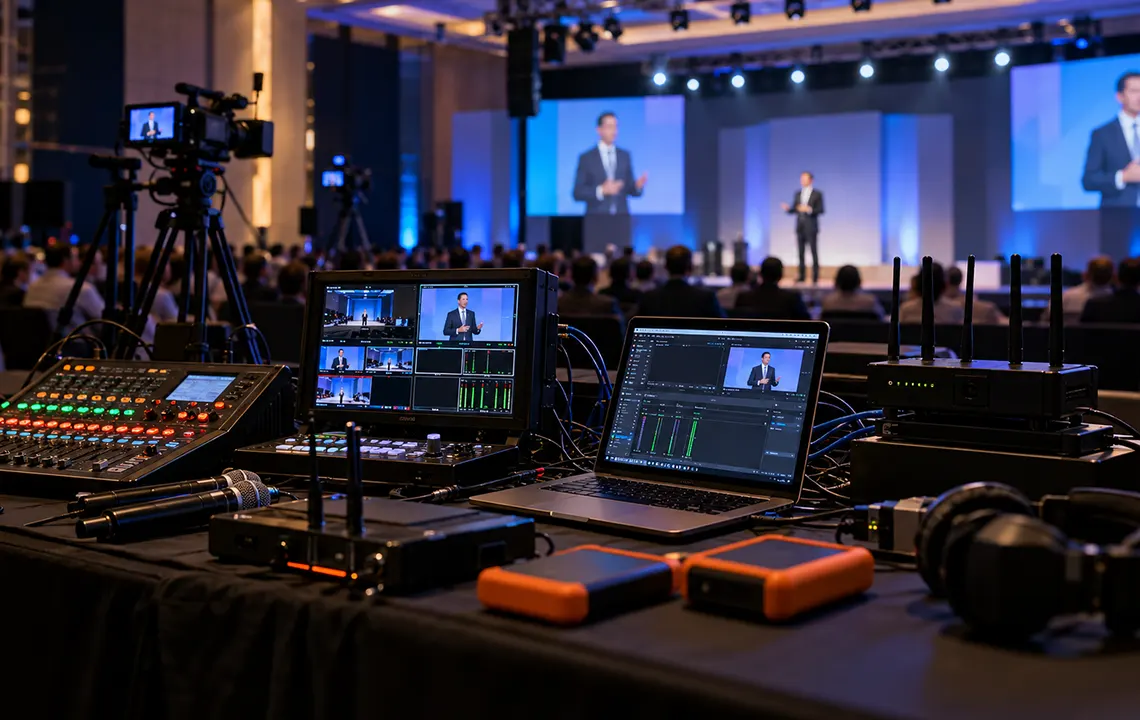
A corporate livestream can look simple from the audience side: cameras capture the event, audio reaches the stream, and viewers watch through an online platform. Behind the scenes, however, several systems have to work continuously at the same time.
The internet connection has to remain stable. Microphones and audio routing have to keep working. The encoder has to process and deliver the program. The streaming platform has to receive it. At the same time, the production team may need to record the event for on-demand viewing, internal distribution, or post-production.
That is why corporate livestream backup planning should begin before the event, not after the first technical problem appears.
A good backup plan identifies the systems that can interrupt the broadcast, determines which failures require redundancy, and gives the technical team a clear procedure for switching to an alternative without unnecessary delay.
Why Livestream Backup Planning Matters
A livestream is different from many other parts of an event because there may be no opportunity to fix a failure after it happens.
If a stage light stops working, the event can often continue. If one presentation monitor temporarily loses signal, the speaker may still be able to proceed.
If the only internet connection carrying a livestream goes offline, however, the remote audience may immediately lose the program.
The same applies to audio. A beautiful camera feed has little value when online viewers cannot hear the presenter. And even when the livestream itself reaches the audience successfully, a recording failure may create problems later if the organization expects an archive, edited version, or individual session files.
Backup planning is therefore less about adding equipment everywhere and more about identifying single points of failure.
A single point of failure is any component whose failure can stop an essential part of the production when there is no alternative path available.
For a corporate webcast, common examples include:
- One internet connection
- One streaming computer or encoder
- One critical presenter microphone
- One audio feed to the streaming system
- One recording device
- One power source for essential equipment
- One streaming destination configuration with no recovery procedure
The goal is not necessarily to duplicate every item. It is to decide which failures would have an unacceptable effect on the event and build the appropriate level of redundancy around them.
Start by Defining What Must Continue During a Failure
Before choosing backup equipment, decide what the production actually needs to protect.
For some events, the priority is simple: keep the remote audience watching and listening.
For others, there may be several priorities:
- Maintain the public livestream
- Keep an internal webcast running
- Record a clean program feed
- Capture individual cameras for later editing
- Record isolated presenter microphones
- Maintain remote-speaker communication
- Preserve presentation content
- Continue the in-room AV experience even if the livestream fails
These requirements should be included during early production planning. Our guide to creating an AV production brief discusses why streaming, recording, remote presenters, and platform requirements should be identified before the technical system is finalized.
Once the priorities are clear, the team can determine which components need true redundancy and which only require a practical recovery procedure.
Build the Internet Plan Around More Than a Speed Test
Internet connectivity is one of the most obvious risks in a livestream, but backup planning involves more than checking the venue’s advertised connection speed.
Use a Stable Primary Connection
Whenever possible, the production streaming system should use a wired network connection rather than depending on general-purpose Wi-Fi.
The production team should also understand whether the connection is dedicated to the event or shared with attendees, venue operations, exhibitors, offices, or other users.
A fast connection that is heavily shared can behave very differently once hundreds of devices begin using the network.
Upload performance is particularly important because the encoder is sending the live video out of the venue. Platform guidance also emphasizes testing available upload bandwidth rather than assuming download speed represents streaming capacity. YouTube, for example, recommends leaving additional bandwidth beyond the stream bitrate and accounting for both primary and backup streams where applicable.
Make the Secondary Internet Path Truly Independent
A backup connection is most useful when it does not depend on exactly the same infrastructure as the primary connection.
For example, two Ethernet ports connected to the same venue network may appear redundant, but both could fail if the upstream internet service or network equipment fails.
Depending on the event and venue, an alternative path might use:
- A separate wired internet service
- A different internet provider
- A cellular connection
- Multiple cellular connections
- A managed connectivity or bonded-network solution
The appropriate option depends on the event’s importance, expected stream bitrate, venue infrastructure, available carriers, and production budget.
The key question is not simply, “Do we have a second connection?”
It is, “What failure can take down both connections at the same time?”
Test the Connection Under Real Production Conditions
An internet test should resemble the actual production whenever possible.
Instead of checking bandwidth from a laptop early in the morning and assuming the result will remain unchanged, test the streaming system using the intended encoder settings and realistic video.
Motion, graphics, camera switching, and audio should all be part of the test.
YouTube similarly recommends testing a stream with audio and movement representative of the actual program and monitoring stream health during the event.
Tests should also verify:
- Sustained upload capacity
- Packet stability
- Stream health at the platform
- Primary and backup workflows
- Firewall or network restrictions
- Required ports and protocols
- Network performance during realistic venue activity
A five-minute successful test is useful. A longer test under realistic conditions provides much more information about stability.
Decide How Internet Failover Will Happen
Having backup internet available does not automatically mean the stream can switch to it smoothly.
The technical team should know whether the system:
- Fails over automatically
- Requires an operator to change network connections
- Uses multiple connections simultaneously
- Requires a second encoder
- Requires switching to a backup stream at the platform
The decision should be documented before showtime.
When redundancy is important enough to justify a backup connection, the team should also test the actual transition rather than simply verifying that both connections work individually.
Treat Audio as a Separate Livestream System
Audio is one of the most important parts of a corporate broadcast, and it deserves its own backup plan.
The in-room audience and the online audience do not always need the same mix.
In the room, attendees naturally hear some sound acoustically. They may hear applause, audience questions, or a presenter even before reinforcement reaches the PA system.
Remote viewers hear only what reaches the broadcast mix.
That means the production needs to consider the entire audio path from microphone to streaming encoder.
Our audio and PA equipment section includes microphones, mixers, speakers, and related equipment commonly used as part of event audio systems, while our article about renting audio equipment also explains why livestream audio may need dedicated routing rather than simply duplicating the room mix.
Plan Backup Microphones for Critical Speakers
If the CEO, keynote speaker, moderator, or important remote participant must remain audible, the microphone plan should account for equipment failure.
A presenter using a wireless lavalier, for example, may have a handheld microphone available as a practical backup.
For panels, the production may use several microphones so that a single failure does not make the entire discussion impossible to hear.
The exact arrangement will depend on the event format. The objective is to avoid making one microphone the only possible way an essential speaker can reach the audience.
Megahertz’s verified microphone rental inventory includes both handheld and wireless microphone options that can be integrated into different corporate event workflows.
Protect the Audio Feed Going to the Stream
Microphone redundancy alone is not enough.
Consider what happens after those microphones reach the mixing console.
If a single output from the console feeds a single interface connected to a streaming computer, several additional failure points still exist.
A production plan may therefore consider:
- Separate outputs for room audio and broadcast audio
- Alternative outputs from the mixer
- Backup interfaces or signal paths where justified
- Clearly labeled routing
- Known fallback configurations
- A method of confirming audio after it reaches the streaming platform
The specific redundancy level should match the importance of the event.
A small internal meeting does not necessarily need the same system architecture as a major executive broadcast.
Monitor the Audio Where the Audience Receives It
Watching audio meters on the mixer is not enough.
Those meters may confirm that the console has signal, but they do not prove that the online audience is actually hearing the correct mix.
Someone should monitor the final stream or platform return where practical.
This can reveal problems such as:
- Missing program audio
- Muted channels
- Incorrect routing
- Audio distortion
- Excessively low levels
- Synchronization problems
- Presentation audio not reaching the stream
Monitoring the destination helps separate a local production problem from an encoding or platform problem.
Make Recording Independent From the Livestream When Possible
A common mistake is assuming that because an event is being streamed, it is automatically being recorded safely.
Those are two different requirements.
A platform may create an online archive, but that archive should not automatically be treated as the only recording strategy when the recording itself is important.
A stronger workflow often includes local recording within the production system.
Record the Program Locally
The program recording captures what the audience sees: selected cameras, graphics, presentation content, and the final audio mix.
Recording locally can provide a copy that does not depend entirely on successful internet delivery.
That distinction matters.
If the internet fails but the local production system continues operating, the audience may temporarily lose the stream while the local recording continues capturing the event.
The organization can then still have a complete master or near-complete master available after the event.
Our video equipment rental category includes video switchers and recording-related equipment that can be incorporated into event production workflows.
Consider Isolated Recordings for Important Events
A program recording gives you the finished live show, but it provides limited flexibility in post-production.
For events that will be heavily edited later, it can be useful to record isolated sources, often called ISO recordings.
These might include:
- Individual camera feeds
- Presentation output
- A clean camera angle
- Separate audio channels
- Remote participant feeds
- A graphics-free program feed
ISO recording gives editors more options if something happens during the live production.
For example, if the wrong camera is selected for several seconds during the broadcast, an isolated camera recording may allow that section to be replaced during editing.
Not every livestream needs this level of recording. It is most valuable when post-event content has significant business value.
Do Not Forget Audio Recording
Sometimes the video recording survives while the important audio does not.
For presentations, panels, interviews, or executive events, clean audio may be essential for:
- Editing
- Captions and transcription
- Short social clips
- Internal archives
- Training materials
- Podcast-style content
Depending on the production, it may be useful to capture separate microphone channels or a dedicated broadcast mix in addition to the final video program.
Verify That Recording Is Actually Happening
A recording button being active is not enough assurance.
During the event, the production team should verify recording status, available storage, and file behavior where possible.
YouTube’s streaming guidance similarly recommends checking local archive files and confirming that the archive file is actively growing when using a local recording workflow.
Before show day, confirm:
- Recording resolution and format
- Expected recording duration
- Available storage
- Destination drives or media
- Audio channels being captured
- Whether files are split during long recordings
- How media will be backed up after the event
Storage capacity should be planned with margin rather than calculated to end at approximately the same time as the show.
Include the Encoder in the Backup Plan
The encoder is the bridge between the production system and the streaming platform.
It may be a dedicated hardware device, a computer running production software, or part of a video switcher.
If that system fails, excellent internet connectivity will not keep the broadcast online.
For higher-priority events, the production may use a secondary encoder or a workflow that can be moved quickly to backup hardware.
YouTube specifically recommends testing encoder failover when a backup encoder is part of the workflow, including intentionally stopping the primary encoder or disconnecting it to verify that the expected backup behavior occurs.
Megahertz provides production systems such as the vMix live streaming desktop system, which supports live streaming, recording, and video production workflows. We also offer the Blackmagic ATEM Mini Pro for compatible multicamera streaming and recording applications.
The right system depends on the number of cameras, input formats, graphics, recording requirements, destination platforms, and desired level of redundancy.
Create a Failure Response Plan Before the Event
Equipment redundancy is only useful if the crew knows what to do when something fails.
A simple response plan can identify common failures and the required action.
For example:
| Failure | Immediate Response | Backup Path |
|---|---|---|
| Primary internet fails | Confirm network loss and initiate failover | Secondary internet |
| Presenter wireless mic fails | Notify audio operator and speaker | Backup handheld mic |
| Streaming encoder fails | Move program feed to secondary encoder | Backup encoding system |
| Primary recording stops | Confirm program continues | Secondary/local recorder |
| Platform stream disconnects | Check encoder and platform status | Restart or switch configured backup |
| Presentation audio disappears | Check routing and source playback | Alternate audio feed |
The exact table will differ for every event, but writing these decisions down reduces guesswork during a live problem.
It also establishes responsibility.
Who switches the network?
Who confirms the backup stream?
Who gives the presenter a replacement microphone?
Who determines whether the recording is still active?
A technically capable team can still lose valuable time when nobody knows who owns the response.
Rehearse the Failure, Not Just the Presentation
Most rehearsals focus on content:
- Speaker entrances
- Slides
- Videos
- Camera shots
- Lower thirds
- Stage cues
A livestream technical rehearsal should also test failure scenarios.
Try disconnecting the primary internet path.
Test a backup microphone.
Confirm the secondary encoder can receive the program feed.
Check that the local recorder continues when internet delivery stops.
Verify how the platform behaves if an encoder disconnects and reconnects.
A backup system that has never been tested is still an assumption.
Testing can also expose unexpected dependencies. Two supposedly independent systems may share a network switch, power strip, converter, adapter, or computer that creates a hidden single point of failure.
Match the Backup Level to the Event
Not every event requires full broadcast-style redundancy.
A useful way to plan is to consider the consequences of interruption.
Lower-Risk Internal Livestream
For a small internal session, an appropriate plan might include:
- Reliable wired internet
- A secondary connectivity option
- Backup presenter microphone
- Local recording
- Tested restart procedure
High-Visibility Corporate Broadcast
A higher-profile event may justify:
- Independent primary and secondary internet paths
- Backup encoding
- Redundant critical microphones
- Separate broadcast audio routing
- Program recording
- Selected ISO recordings
- Dedicated stream monitoring
- Technical rehearsal with failover testing
The objective is not to make every production unnecessarily complicated.
It is to spend redundancy where failure would create the greatest operational or reputational impact.
Our corporate event production services combine audio, video, livestreaming, recording, and technical support for corporate programs that need these systems planned as one integrated production.
Corporate Livestream Backup Checklist
Before your next corporate livestream or webcast, confirm the following:
Internet
- Primary connection tested
- Upload capacity verified
- Network sharing understood
- Secondary connection available where required
- Backup connection independent enough to address the intended failure
- Failover procedure documented
- Stream tested using realistic settings
Audio
- Critical microphones have appropriate backup options
- Broadcast audio routing is confirmed
- Presentation and playback audio reach the stream
- Audio is monitored at the final destination
- Backup routing is understood by the audio team
Recording
- Program recording configured
- Recording media has sufficient capacity
- Audio channels have been verified
- ISO recordings identified where necessary
- Recording status will be monitored during the event
- Post-event backup procedure is defined
Streaming System
- Encoder settings verified
- Platform credentials and stream information confirmed
- Backup encoder available if required
- Secondary encoder or recovery workflow tested
- Stream health monitoring assigned to a crew member
Crew
- Failure responsibilities assigned
- Escalation procedure understood
- Technical rehearsal completed
- Backup systems physically accessible
- Important changes documented before doors open
Build Redundancy Into the Production From the Beginning
Corporate livestream backup planning is most effective when redundancy is treated as part of the original production design.
Internet connectivity, audio, encoding, recording, cameras, presentations, and the streaming platform all interact. Adding a backup device at the last minute does not necessarily protect the complete signal path.
Instead, identify the failures that matter most, create genuinely useful alternative paths, test them under realistic conditions, and make sure the production team knows exactly when and how to use them.
For events that need integrated audio, video, recording, and online delivery, Megahertz Productions can help plan the technical workflow as part of a complete live stream, webcast, and AV production solution. The earlier backup requirements are included in the conversation, the easier it is to design a system around the actual risk and priorities of the event.